

What’s in the sidebar
The page you’re on shows as a solid pill.
On a phone the sidebar becomes a floating bar with four slots — Home, Browse, Sessions, Messages — with everything else behind your avatar, along with Sign out and Crisis support. Home is the same page as Overview.
Press
⌘K anywhere for the command palette, which searches sessions, library and documents.
These have their own pages: Messages, Documents, Forms and measures, Library, Prompts and Journal. Sessions and Calendar are covered in Manage your sessions. The rest are below.
Overview
Your overview leads with the check-in, a short mood log with your recent ones under it. Then, in order:Your safety plan isn’t a crisis service. If you need help right now, call 000, or Lifeline on
13 11 14 — see Getting help.
Shortlist
Therapists you kept while going through your matches, at /workspace/shortlist. Nobody on the list has been contacted. Each card carries the reason that therapist came up, View profile, See times, and a Shortlisted button to remove them. Anyone added straight from the directory has no match behind them, so their card shows what they specialise in. Shortlisting works signed out at /shortlist, and that list lives in the browser until you make an account. Signed in, /shortlist takes you to the workspace version. There’s no “passed” list.Match preferences
Every matching question on one page. Matches are ranked fresh from these answers every time you look, so a change takes effect immediately and your shortlist isn’t touched. To widen a search that’s returning nobody, relax the language, the gender or the location answer. See Find a therapist.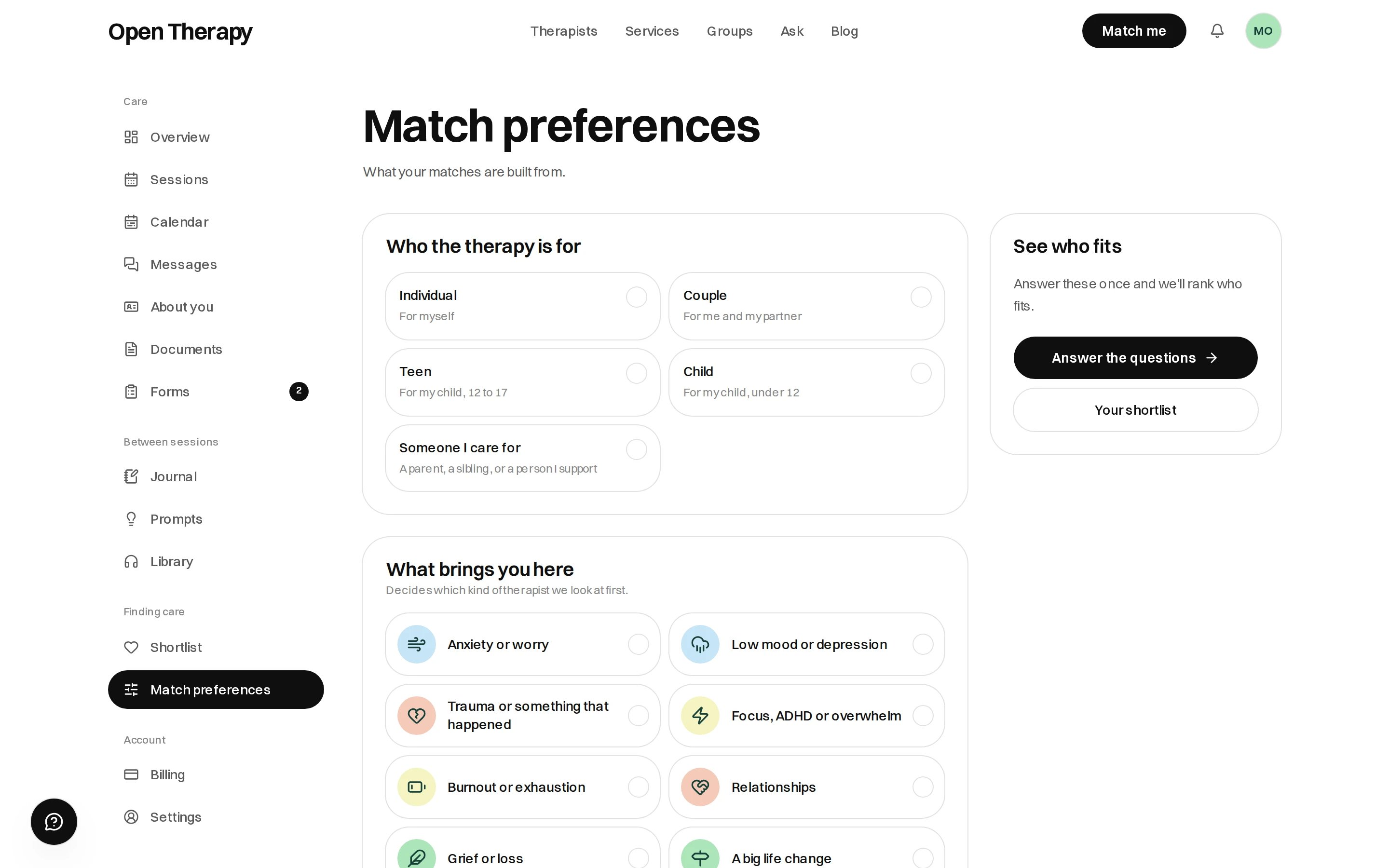
Change an answer here and your matches are ranked again from it
About you
Written once, and every new therapist you see starts from it: your photo and name, a bit about you, who to call in an emergency, your circumstances, your health background, and how to work with you. What each therapist can see is set under Privacy in settings.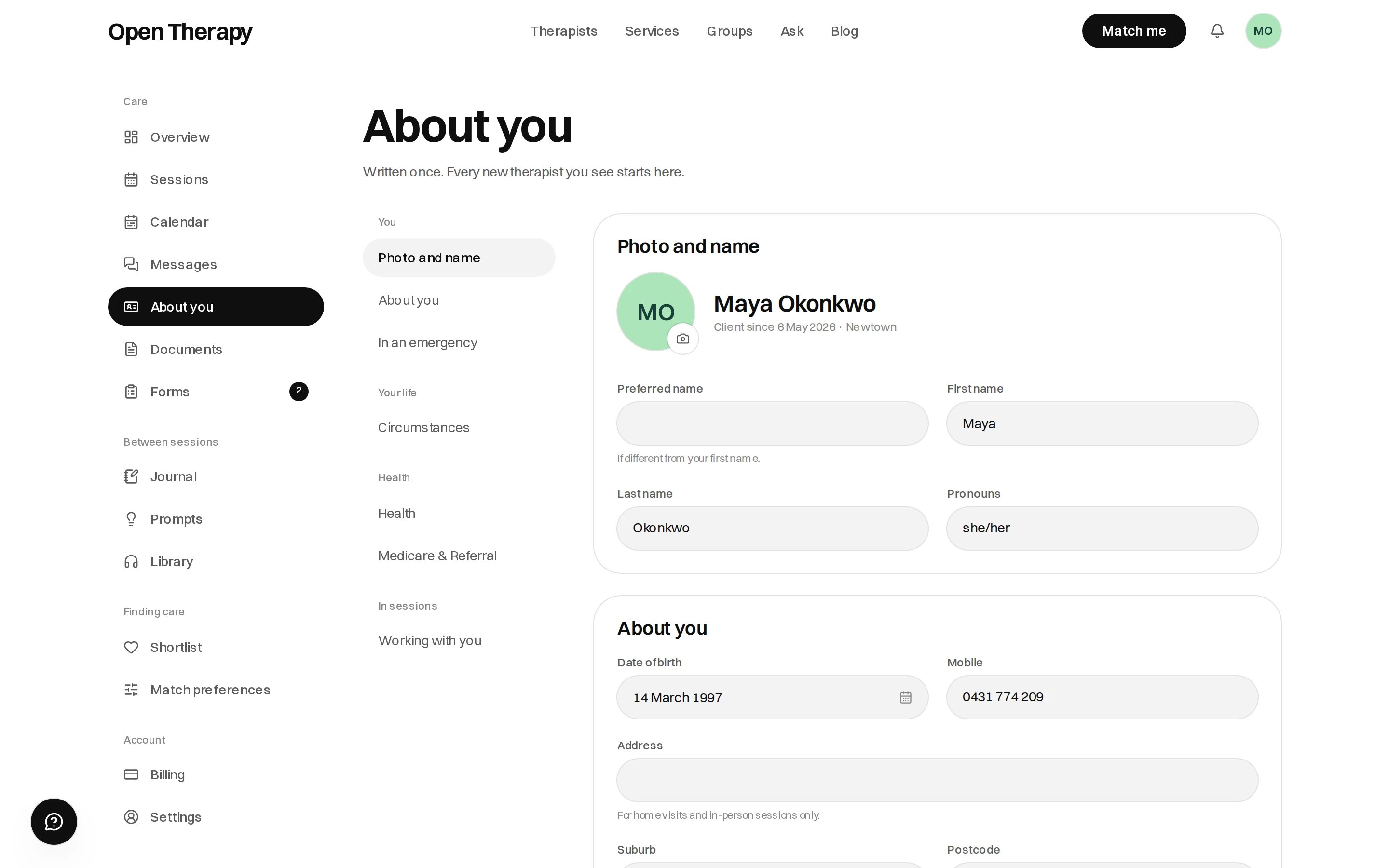
The rail moves you between your photo and name, your life, your health and how to work with you
Billing
Invoices to claim with, Payments for what you’ve paid, and Payment methods for the cards you’ve saved. Selecting any document opens it with Print or save as PDF. See Invoices and receipts.Settings
Grouped into Profile, Journaling, App and Account. Settings save as you change them, and the header tells you when.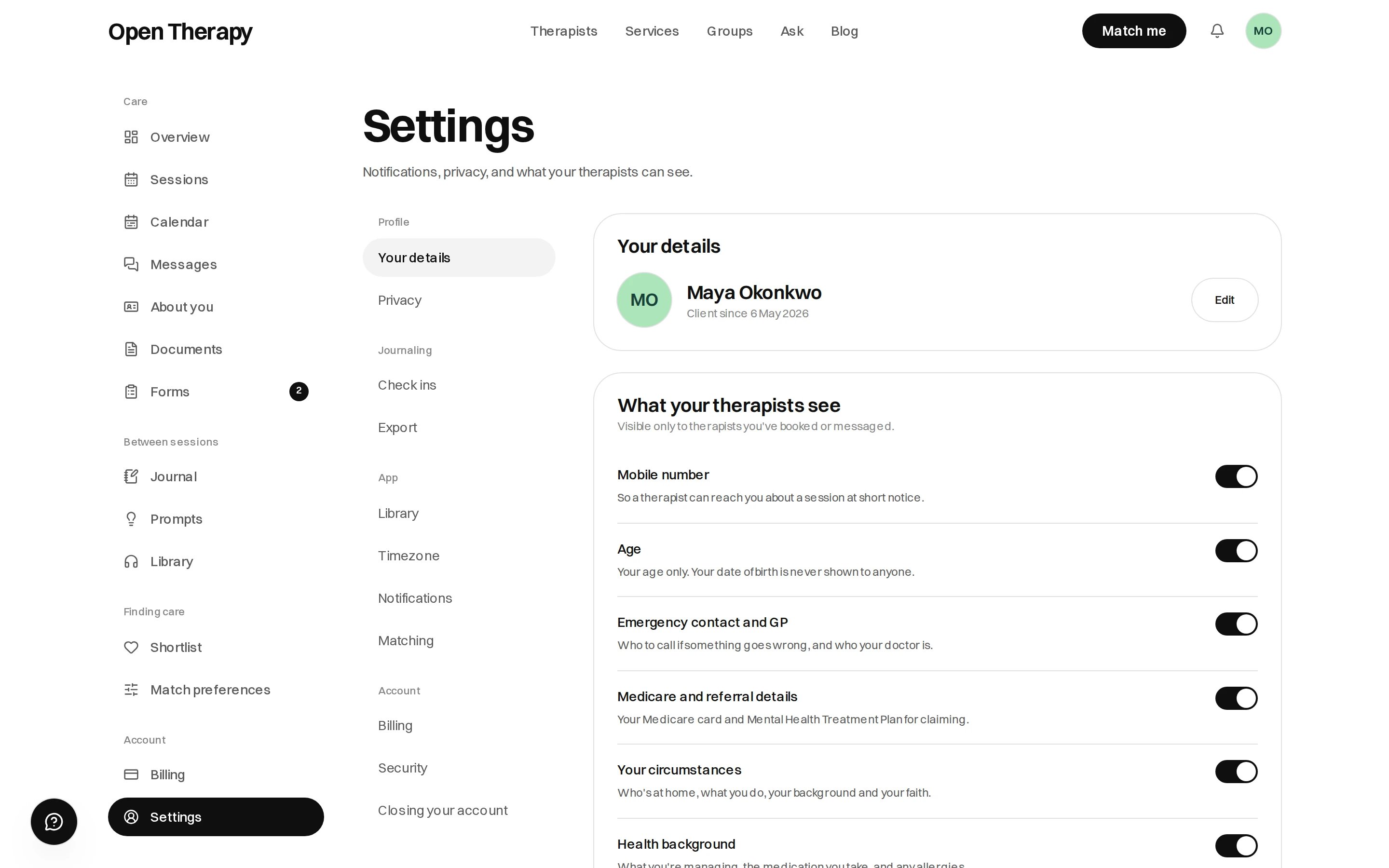
What your therapists see is a switch per thing, not one switch over the lot
Your details
Your details
Your photo, your name and when you joined, with Edit taking you to About you.
Privacy
Privacy
What your therapists see, one row at a time: mobile number, age (never date of birth),
emergency contact and GP, circumstances, health background, therapy history, anything else you’ve
written, how to work with you, and outcome measures. Only therapists you’ve booked or messaged see
any of it.Under that, Research — off unless you turn it on, and we’ll ask again before any study uses
anything.
Check ins
Check ins
A Sunday reminder, a soft sound when you record one, which scales you want to track, and your own
tags.
Export
Export
Your record — referrals, letters and worksheets — downloadable any time.
Library
Library
How the audio library behaves for you. See Library.
Timezone
Timezone
The zone your session times, reminders and calendar are shown in. Change it when you travel and every
session time shifts with it. We suggest your browser’s zone rather than saving it.
Notifications
Notifications
Session reminders the day before and again shortly before. New messages, which emails you
that a therapist replied, never the message itself. Forms, when one is sent and if it falls
overdue. Each can be turned off.
Matching
Matching
A pointer to your match preferences.
Security
Security
Set a new password by emailed link, change your email in three steps, and sign out of every device at
once. See Create an account.
Closing your account
Closing your account
Closing removes your profile. Therapists must keep clinical notes for seven years under Australian
law — see Safety and privacy.