

The three tabs
Each tab carries a count, and the page names your timezone — Times in AEST.
A row shows the service, session mode, duration, day and time, and a status. Inside a repeating booking it says which one — 2 of 6, weekly.
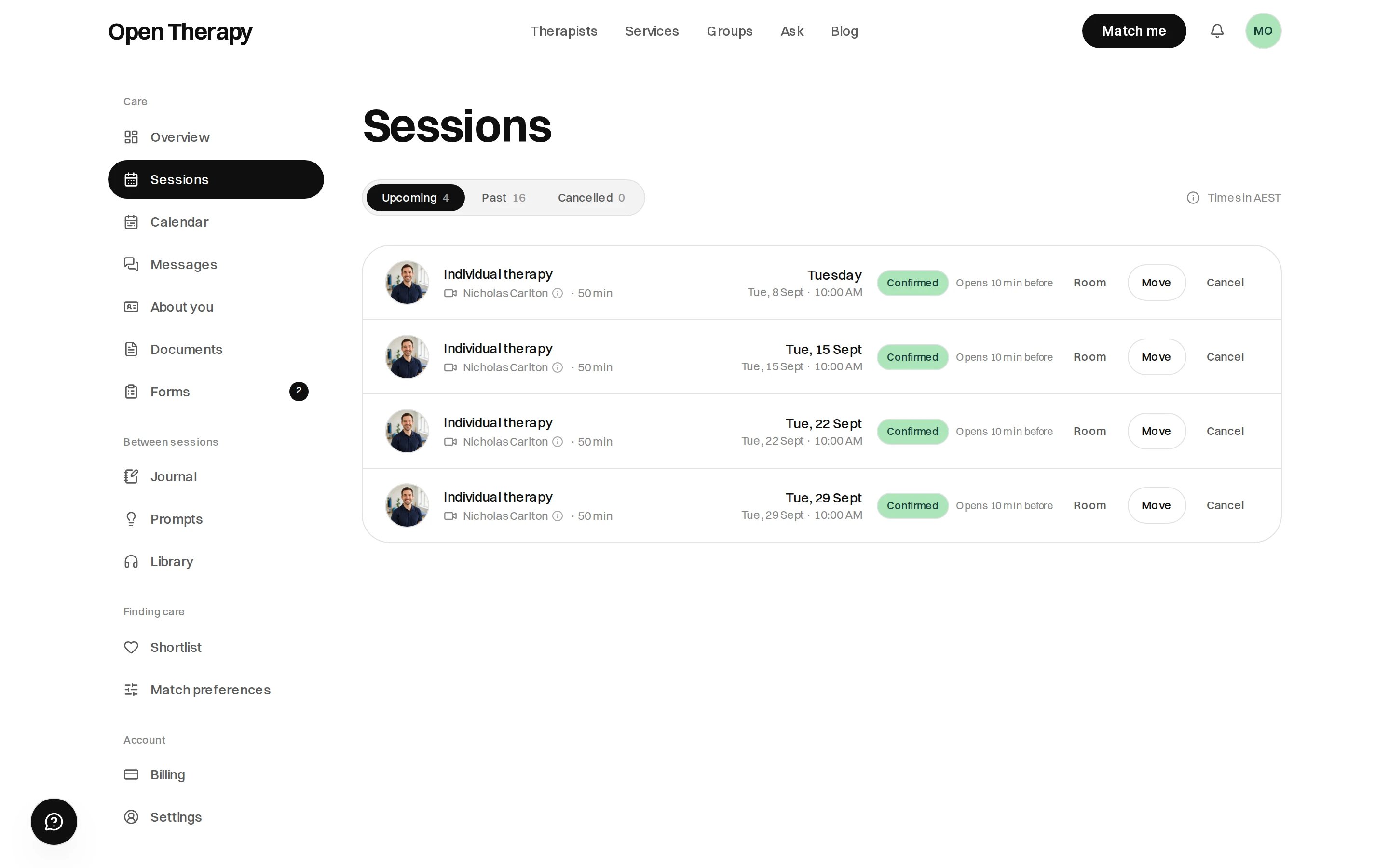
Each upcoming row carries its status, Room once a video link exists, and Move and Cancel where they're still open
Your therapist’s terms, on the row
Hover or tap the dotted underline on their name for their cancellation terms, headed Cancelling with that therapist. See Cancellations and refunds.Moving a session
Rescheduling is live, and it’s free. Nothing is charged again.
Moving needs at least as much notice as cancelling for free. Inside that window, the dialog says so
and cancelling stays available. See how the notice is worked
out.
Cancelling
Select Cancel on the row. The cost is worked out before you confirm — see Cancellations and refunds.Joining an online session
Room sits on the row once a video link exists. It becomes Join ten minutes before the start and stays until the session ends. Same link every time, and the one in your confirmation email works too. Inside: microphone, camera, screen share, raise your hand, and two side panels — Chat and Notes.Sessions aren’t recorded. Recording isn’t switched on for Open Therapy rooms at all.
Your calendar
Calendar, at /workspace/calendar, is the same information by day, and covers Sessions, Entries from your journal, Check-ins, and Listens from the library. Desktop gets a month grid with the day’s agenda beside it, a legend counting each kind, and arrows to page through months. On a phone the months scroll.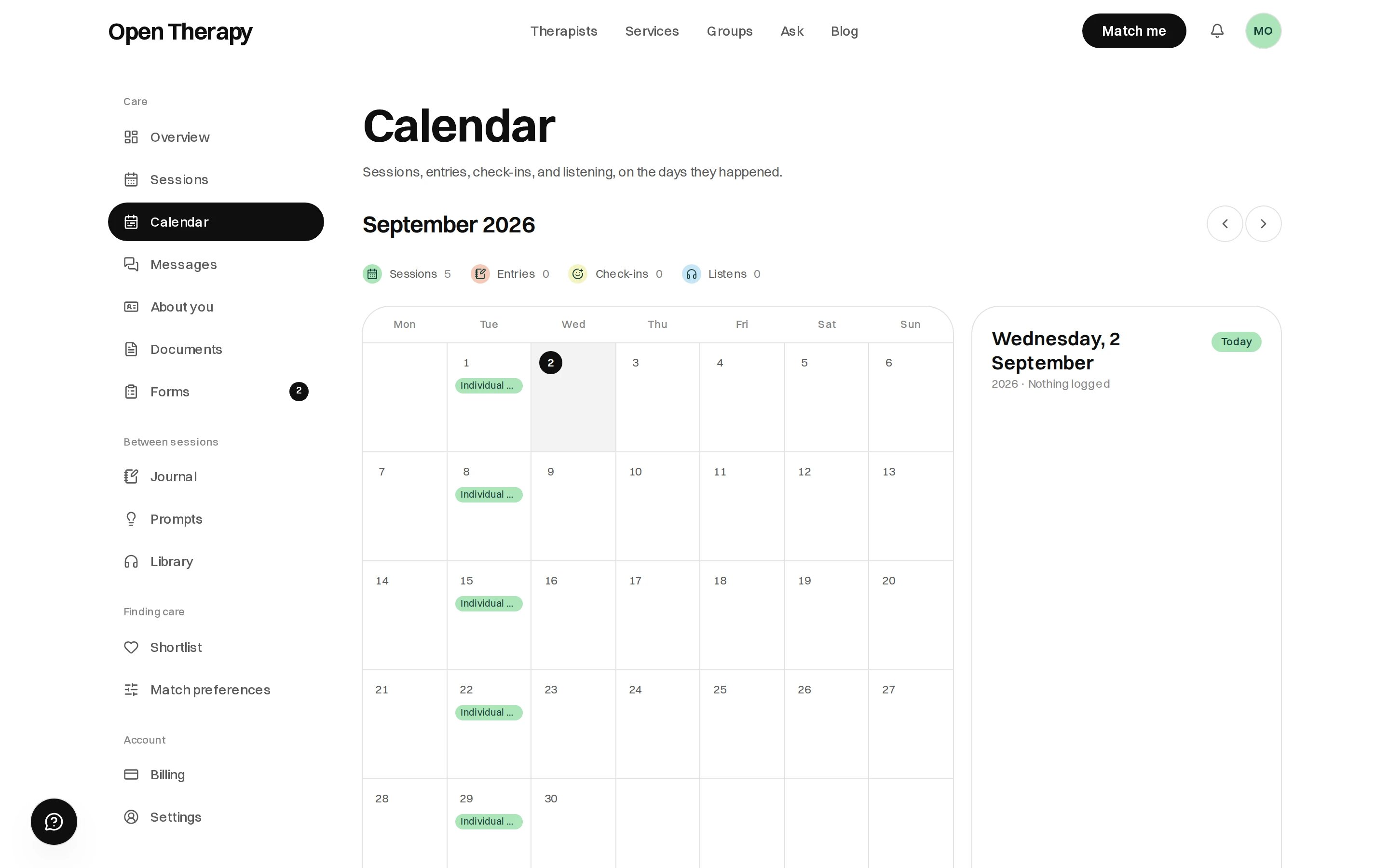
The legend counts the month, and selecting a day opens its agenda on the right