

Writing prompts of your own is being rolled out. Clients can still use the shared catalogue.
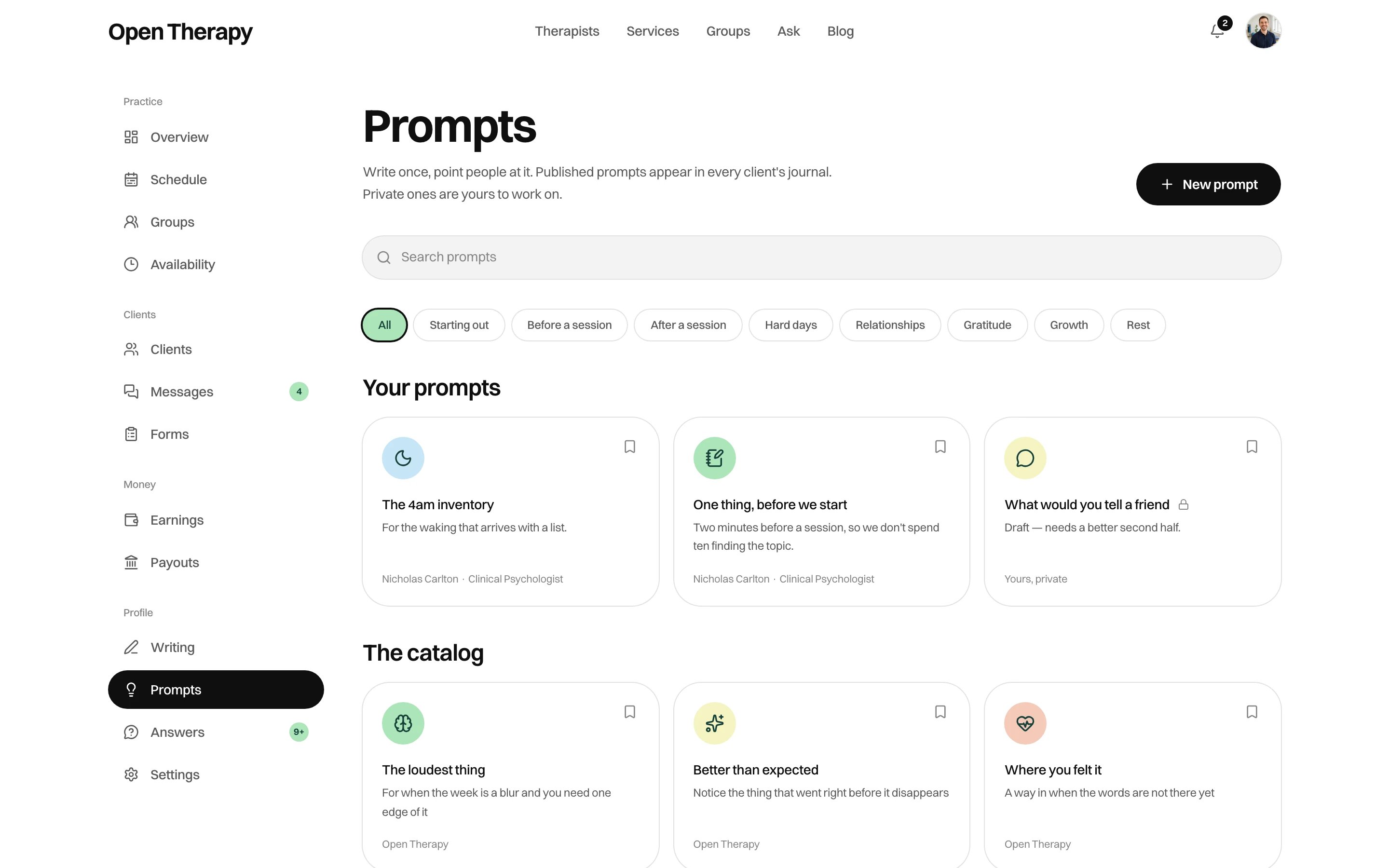
Your own prompts sit above the shared catalogue, with drafts marked private
Writing one
Click New prompt.
The eight categories are Starting out, Before a session, After a session, Hard days, Relationships, Gratitude, Growth and Rest. A client can filter by any of them.
A title and a body are all that’s required to save.
Private or published
You choose when you save.Private
Nobody else sees it. It stays in Your prompts as a draft, and you can still suggest it to your
own client.
Published
In the catalogue every client can browse, bylined with your name and discipline and linked to your
profile. Only therapists can publish.
The publish check reads the role on your record rather than the one in your session, so it takes
effect immediately.
Suggesting one to a client
Open a prompt and choose Suggest. It appears in that client’s Suggested for you, marked with your name and a note of up to 280 characters if you write one.- Your caseload only. Someone you’ve had, or have, a session with.
- They need an account. A client you added yourself who hasn’t signed up can’t be sent one. You’ll be told.
- Suggesting the same one again replaces it. The note is overwritten, and the suggestion comes back if they’d cleared it.
What you can’t see
Prompts carry no read counts, unlike Writing. To know whether one landed, ask the client in a session.
Withdrawing one
Delete removes a private prompt outright. A published one is withdrawn from the catalogue instead: nobody new can find it, and entries already written against it stay readable.What not to put in one
A published prompt is you, named and linked, in front of clients who haven’t chosen to see you. Nothing screens it.- Write for anyone, not for someone. A prompt is general writing and can’t assess a person.
- No case material. A composite is still identifiable if the person would recognise themselves.
- No claims about outcomes. The advertising limits on your posts and reviews apply to a prompt with your byline too.
Related
Writing
Posts and practice updates, which are public and counted.
How a client sees prompts
The other side of this page, including what stays private to them.