

The caseload
Each row carries the next session, when you last saw them, how much of a funded plan is left, and any risk flag. Three cards sit above the list — Active clients, Sessions delivered and Risk flags. Search is by name. Filter with the pills, each carrying its own count.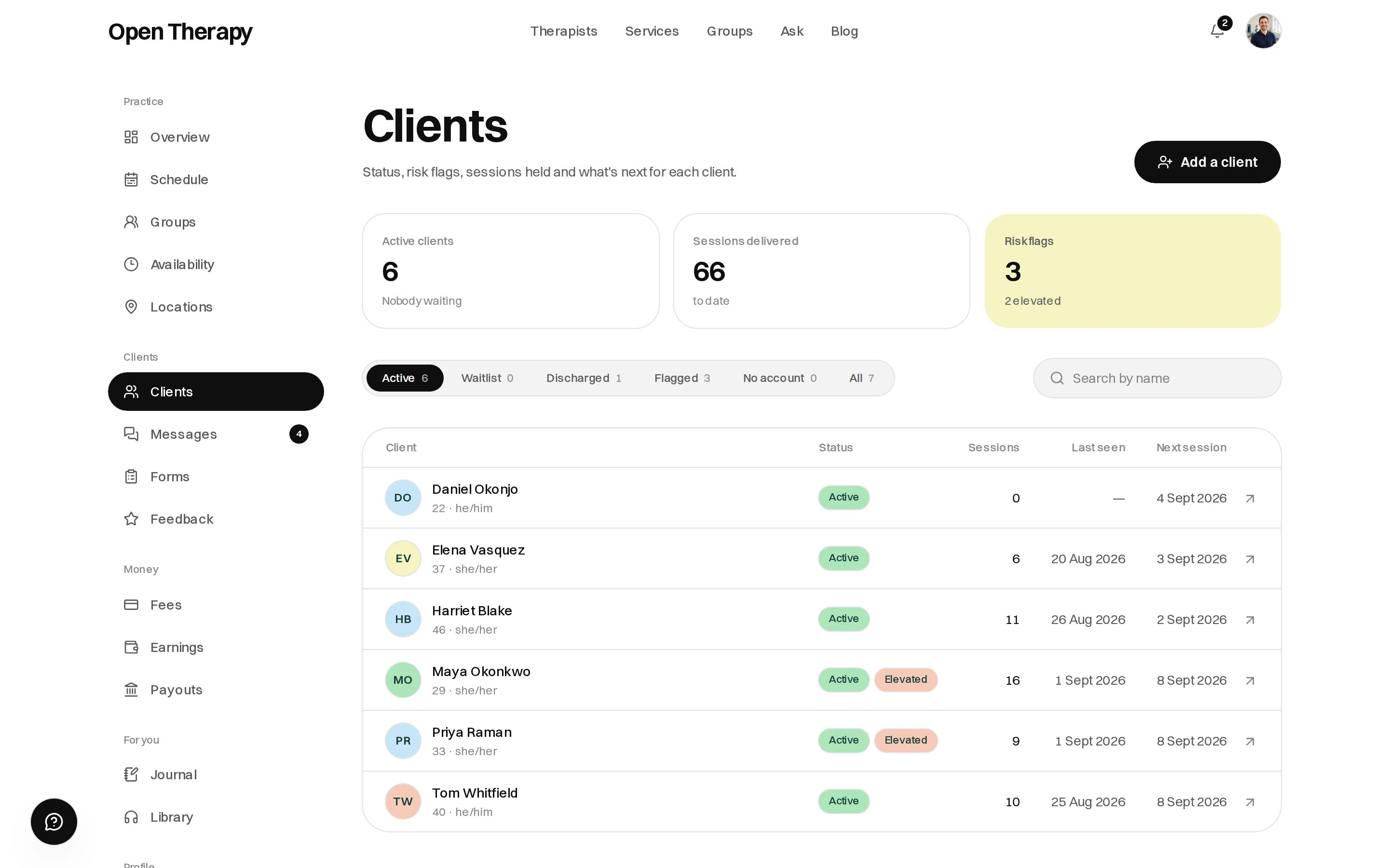
Each pill carries its own count
Adding someone
Add a client opens a dialog with two modes.- Add them
- Invite them
Someone you already see. A first name, optionally a last name and an email, then Add to
caseload. Nothing is sent. Write notes and book against the file straight away; they get an
account only by making one themselves.
Client records for people without accounts
You can file a record for someone you already see who has never signed up, and book them in. What you cannot do is make an account for them. A filed record has no password and no way to sign in.What works, and what waits
The banner reads Your record, not their account, and anything needing the other end refuses: “Not until they set up their account — there’s nowhere for this to arrive.”
How they take it over
1
You book them in
The next appointment emails them a link, provided there’s an email on the record.
2
They open the link
/claim/:token discloses your name and that an appointment exists. No dates, no client name,
nothing clinical.3
They sign up and confirm their address
Claiming needs a signed-in client account whose email address is verified and equal to the
address on the record.
4
The record merges into their account
Sessions, notes, goals, documents, invoices, receipts and the conversation move across, and
messaging and forms start working. Nothing you wrote is lost, and nothing becomes newly visible to
them.
A therapist account can’t claim a client record, even if the address matches.
An enquiry from someone with no account creates the same kind of record, with a conversation
attached, and is claimed the same way.
Inside a file
The header carries their name, status and any risk flag, with Message and New note beside it, then Next session, Last seen, and either sessions held or plan use. Five tabs sit under it: Overview, Notes, Measures, Documents, and About.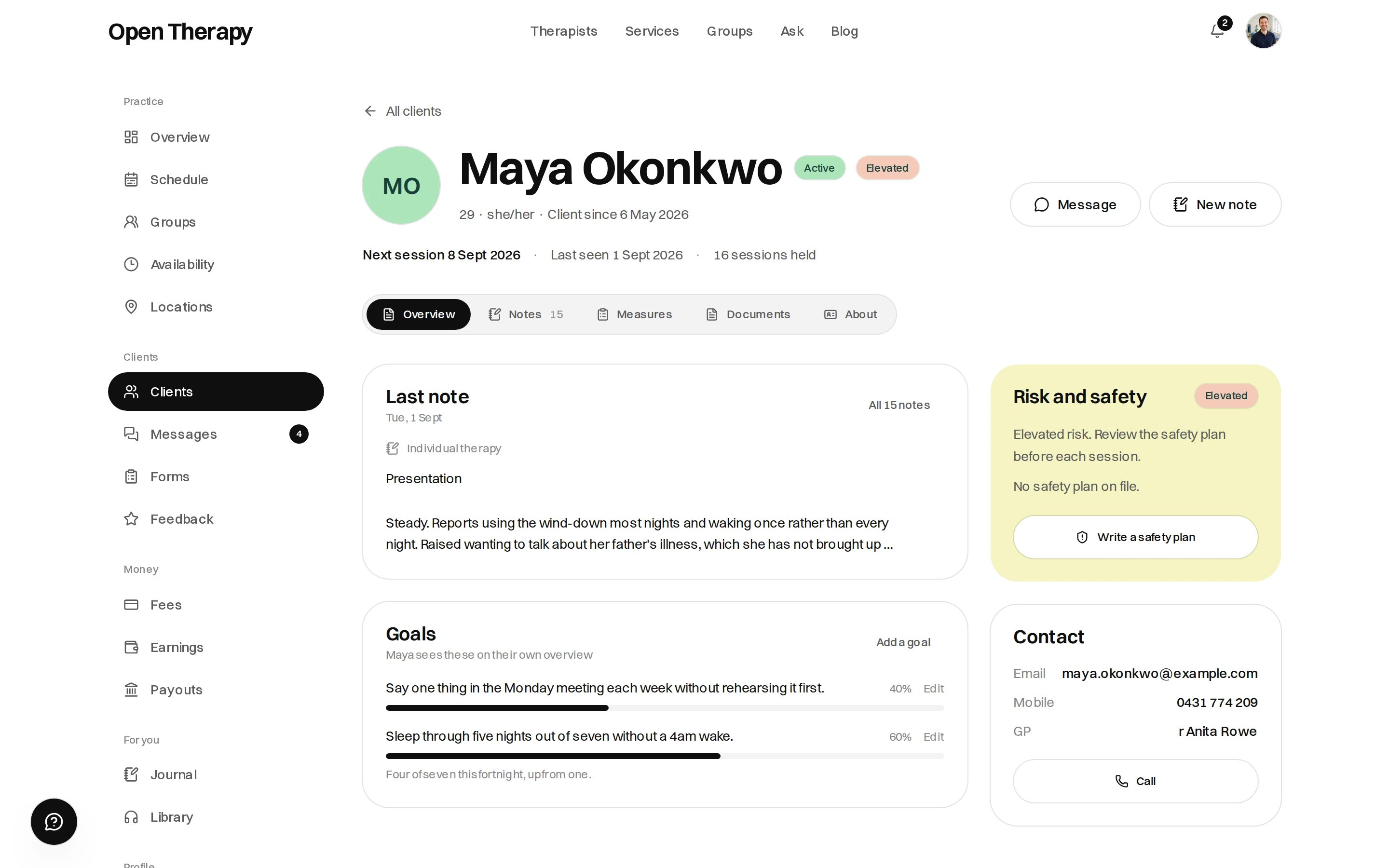
Overview opens on the last note, goals and contact details
Overview
The last note, the goals, the risk and safety panel, and the contact panel. The client’s own brief lives under About. Goals are agreed with the client and tracked as a percentage. Add a goal takes a label, a progress figure and an optional note; nothing sets progress on its own. The contact panel and the client brief show only what the client has chosen to share, and a withheld field never reaches your browser. Pronouns are always shown.Notes
A note has three sections — Presentation, Intervention and Plan — and belongs to one client./workspace/notes redirects to your clients.
Six templates sit under Templates: CBT session, ACT session, Intake assessment, Progress review, Risk review, and Blank. Each is prompts rather than prose, and the framework you pick is stored on the note.
There is no signing and no draft state. A note saves as you type and stays editable. Changing saved text files the version it replaced, and Edit history reads it back, newest first, alongside any addenda.
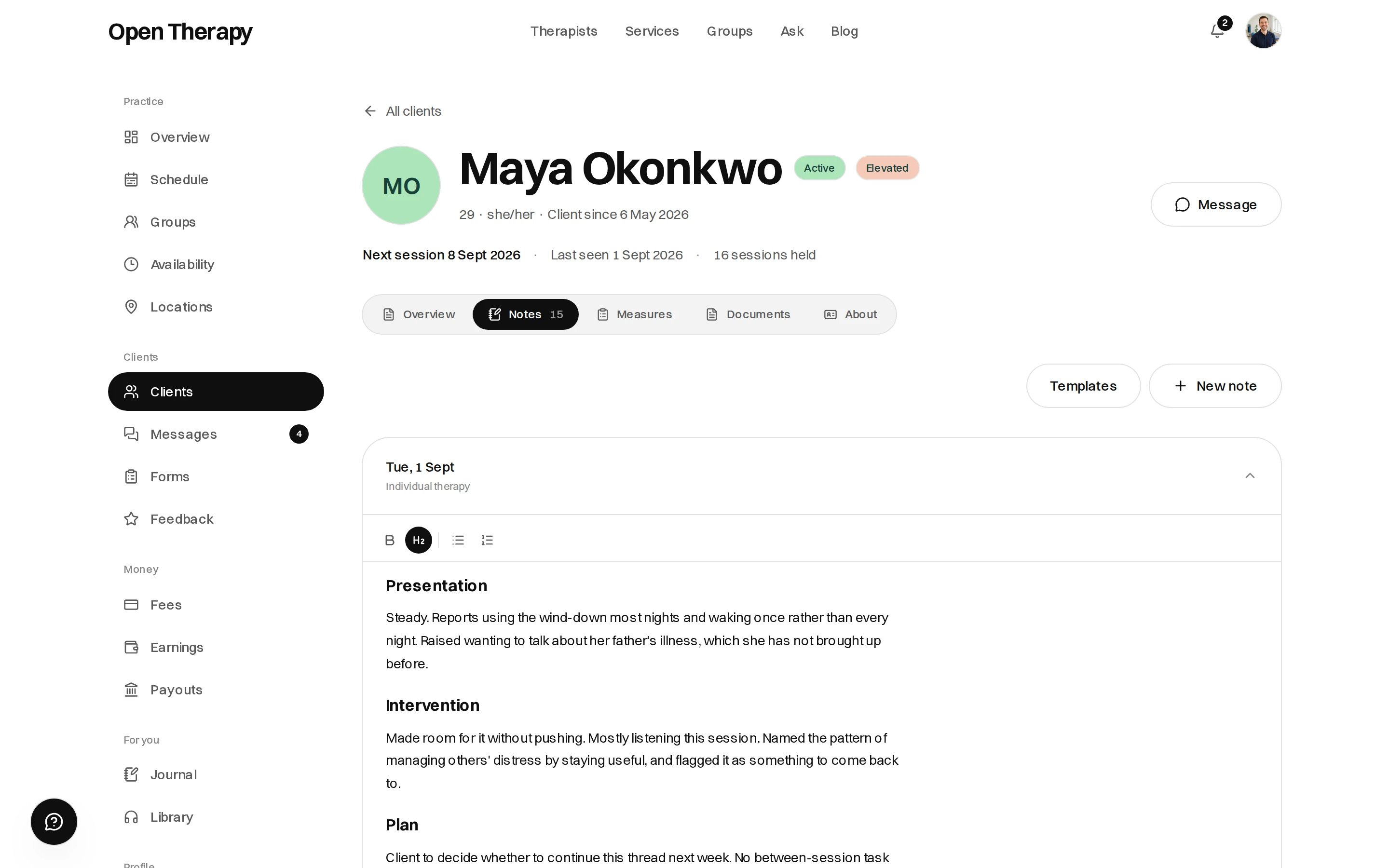
Each section has a Tidy wording option
Measures
Every questionnaire this client has returned, with the latest score, the change since last time, the severity band and a trend line. Scores and bands come from the instrument, not from anything typed in. A flagged response carries a Needs a look badge. Select a measure to read the individual answers. The trend line inverts where a falling score is an improvement.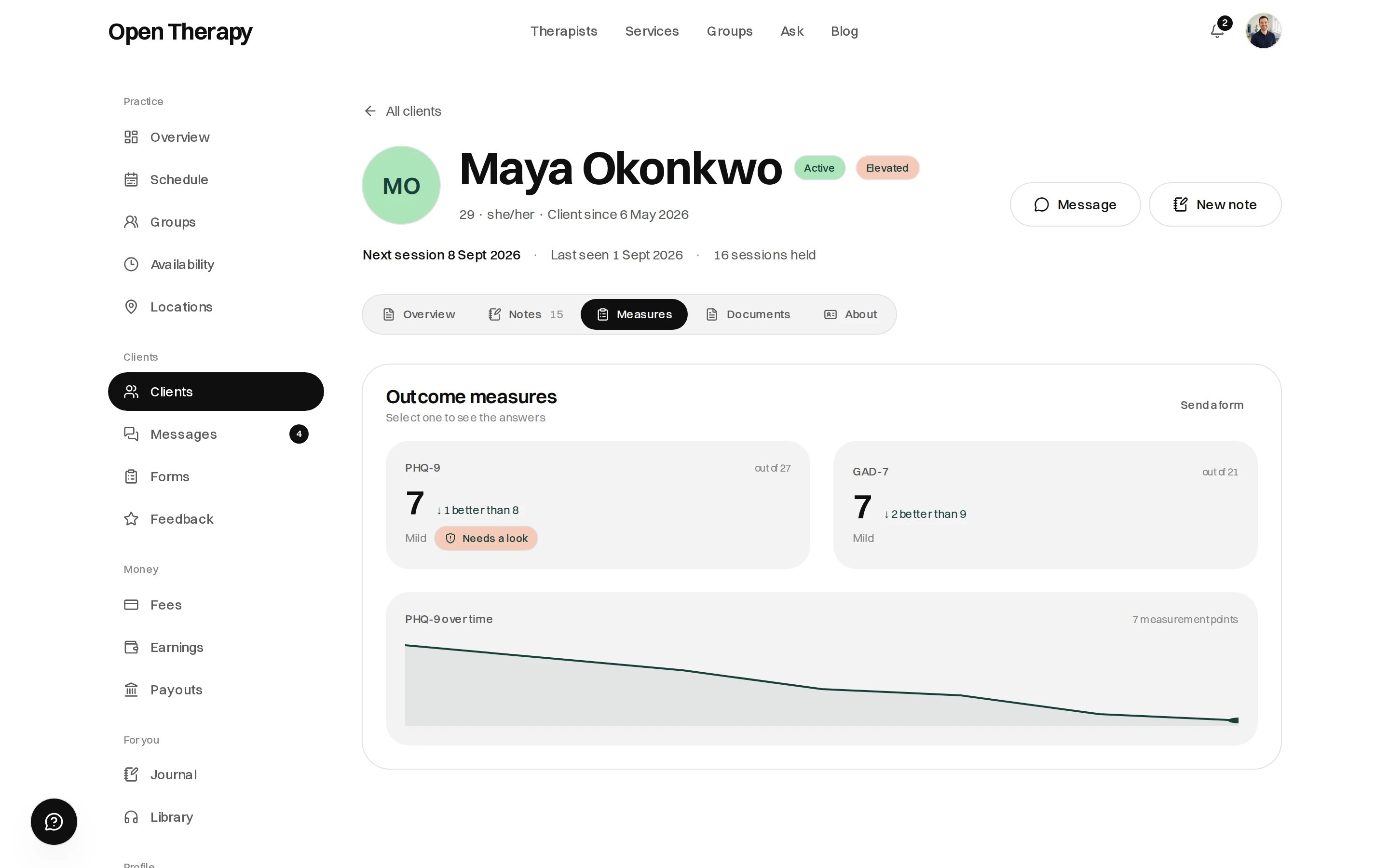
Latest score, change since last time, band and trend
Documents
Everything on file, and two things you can write.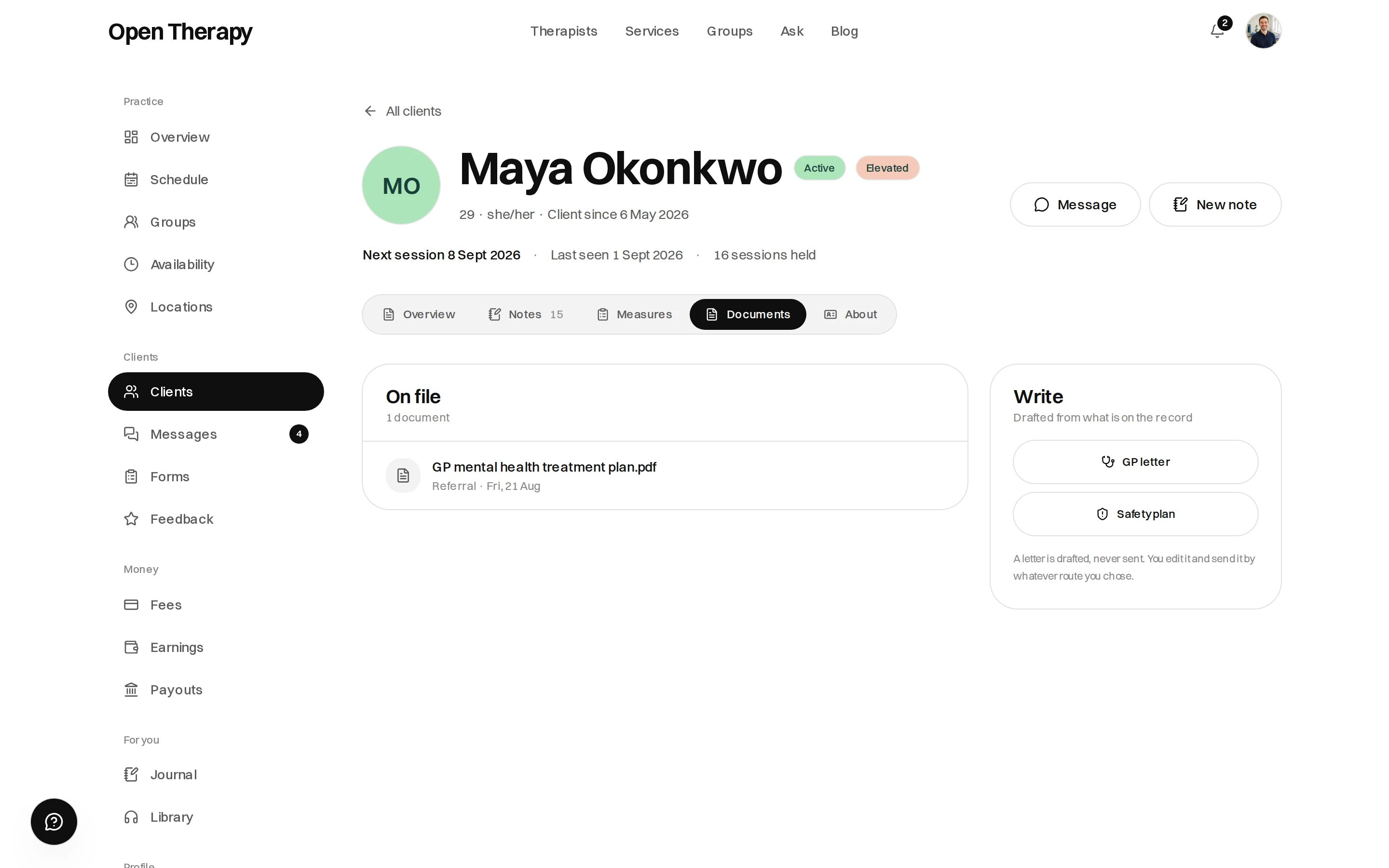
Anything on file on the left, what you can draft on the right
- Warning signs
- What I can do on my own
- People and places that distract me
- People I can ask for help
- Professionals and services
- Making my environment safer