

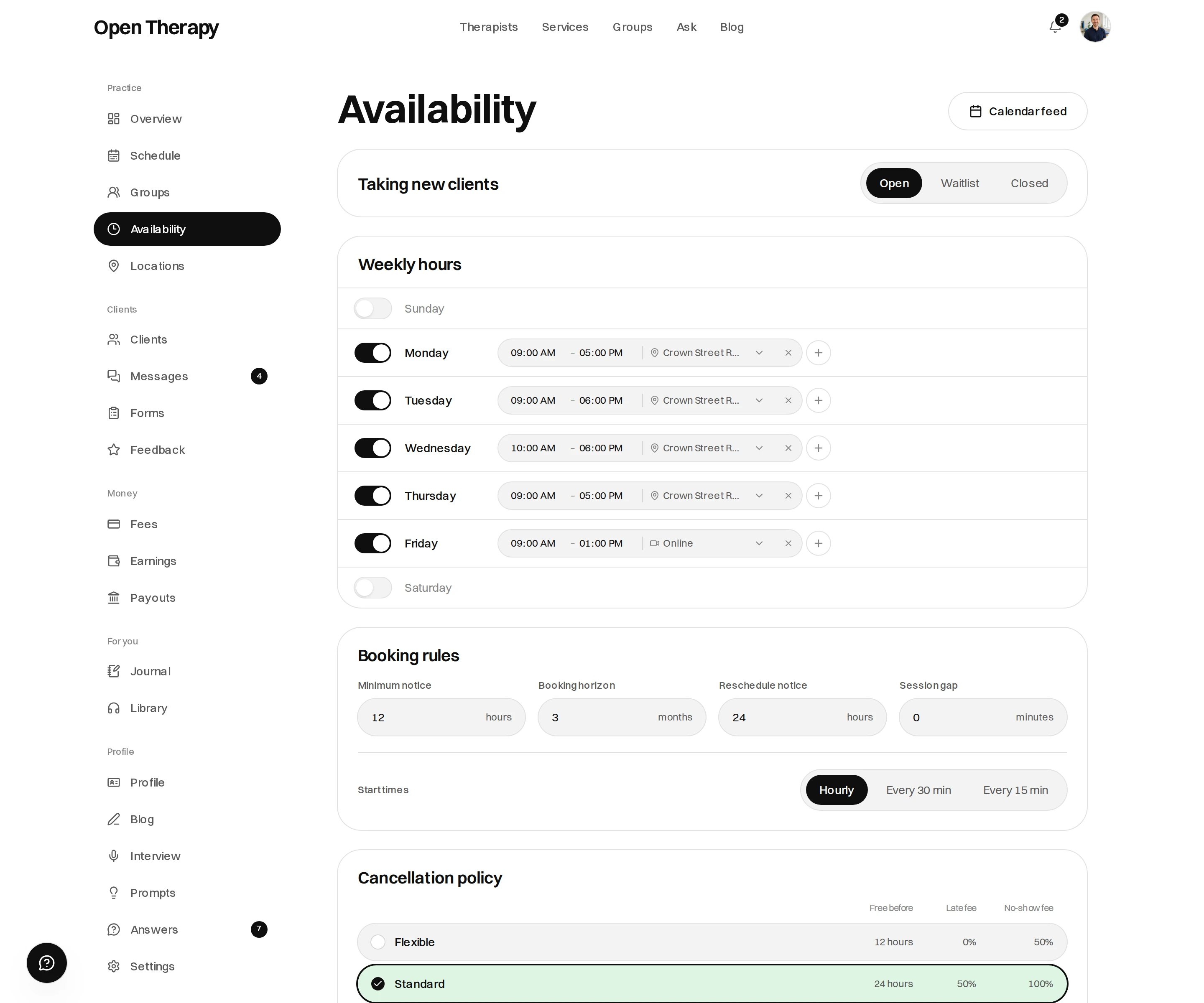
One screen holds whether you're open, the week itself, and the booking rules
Taking new clients
Anyone you tell about an opening can book, whichever of these is set. See
Your booking link.
Your timezone
Set under Settings, not on this page. Every hour you publish is written in that zone, and clients see them converted to their own.Weekly pattern
One row per day. Turn a day on, add one or more blocks of hours to it, and — if you have more than one location — say which place that day is at. A therapist with no locations works online, and the row says Online.
Each row saves on its own, and the pattern applies from next Monday.
Booking rules
Four numbers and the start-time spacing, with the defaults below applying until you change them.
Minimum notice and reschedule notice each accept up to 168 hours. The horizon runs from 1 to 12 months, and the gap from 0 to 60 minutes.
Reschedule notice is not a cancellation window. The notice a client needs to move a session is whichever of the two is longer. See Cancellation policy.
Cancellation policy
Chosen on this screen from four presets, and it saves the moment you pick one. The lines under the cards are the exact lines a client is shown before they book and in their confirmation email. Existing bookings keep the policy they were booked under. Changes apply to new bookings. See Cancellation policy.Your schedule
Schedule draws your diary as a grid, in day, week or month view, with a stepper and a Today button. The header gives the sessions booked in the span and the timezone it’s drawn in.
Past sessions stay on the grid.
One-off exceptions
Click an empty cell, or drag down a few:
A block-out takes an optional reason — supervision, leave, admin — and clicking an existing one lets you remove it. Your weekly pattern is still edited on the availability page.