

What a client sees
Beside the booking panel sit two assurances: “Registration checked by Open Therapy” and, for online sessions, “Encrypted video link for online sessions”.
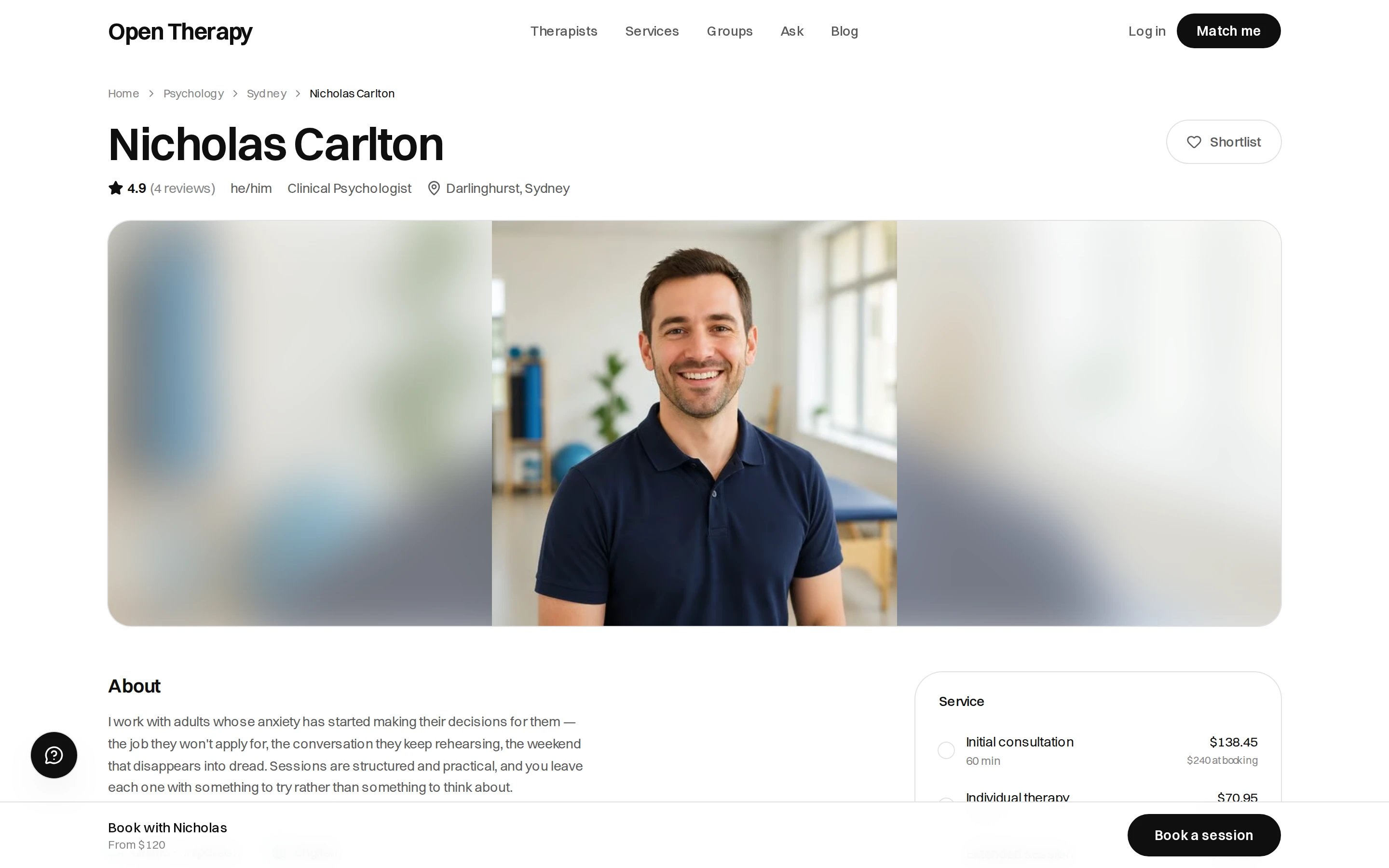
Your photo, reel and bio head the page, with your services priced beside them
Your name and how you’re addressed
Your name is prefilled from signup. Correct it here to the form you practise under.Writing a bio
At least 40 characters to save, up to 900. The prompt asks for who you work with, how a session goes, and what to expect in the first few weeks.Say who you're for
“Adults in their twenties and thirties” says more than a list of modalities.
Say what a session is like
Directive or exploratory, structured or not, homework or none.
Name your limits
What you don’t work with saves a wasted first session.
Write as you speak
The bio should sound like the first ten minutes of a session.
Who you work with
On What you work with, tick Adults, Couples, Teenagers, Children and Carers and families. Leave it blank and the listing is read as adults, which is what the directory has always assumed. The same list is the Who they see filter on Browse.Lived experience and what you work with
Eight themes cover the ground: culture, migration and belonging; family and the people who raised you; identity, gender and sexuality; neurodivergence, disability and health; faith, meaning and community; work, money and study; parenting, fertility and caring; and loss, harm and survival. Pick the themes you hold. Each adds a short screen of specific experiences, where you can mark one of two things.
Leave anything that’s neither blank. The two are captured separately and appear under different headings on your profile: Has lived — “has been through these, not only trained in them” — and Also works with.
Publishing the lived list, or keeping it back
Once you’ve marked at least one experience as lived, you choose Keep to matching or Show on my profile.Matching works either way. Publishing shows them to every visitor; keeping them to matching shows
them only to clients who named the same thing. An experience marked both lived and worked with still
appears under Also works with.
In your own words
An optional paragraph of up to 600 characters, shown to clients who named the same things. Something like: “I grew up as the family’s translator and know the grief of a culture you were never taught. You won’t need to give me the background.”Photo and reel
Photo
Optional, and the first thing on your card, before your name. JPG, PNG or WebP, at least 800px
square.
Intro reel
Optional. MP4, WebM or MOV, up to 60 seconds. Filmed on a phone is fine.
Focus areas and approaches
What you work with is what you’d take a referral for tomorrow. It feeds your focus areas, the directory filters and matching. Your approaches and modalities are a separate list, shown under How I work. Write in one that isn’t there and a phrase we recognise selects the existing option rather than creating a duplicate. Be specific rather than exhaustive. A list of thirty doesn’t rank you any higher.Locations and how you work
Session modes are Online, In person and Home visit, summarised on your profile in a line — “Online + in person”. If you see people in person, add every place a client might turn up to: a name, a street address, a suburb, a city, a state and a postcode, plus three things worth filling in:
There’s no cap on locations, and location matching covers every place you work from.
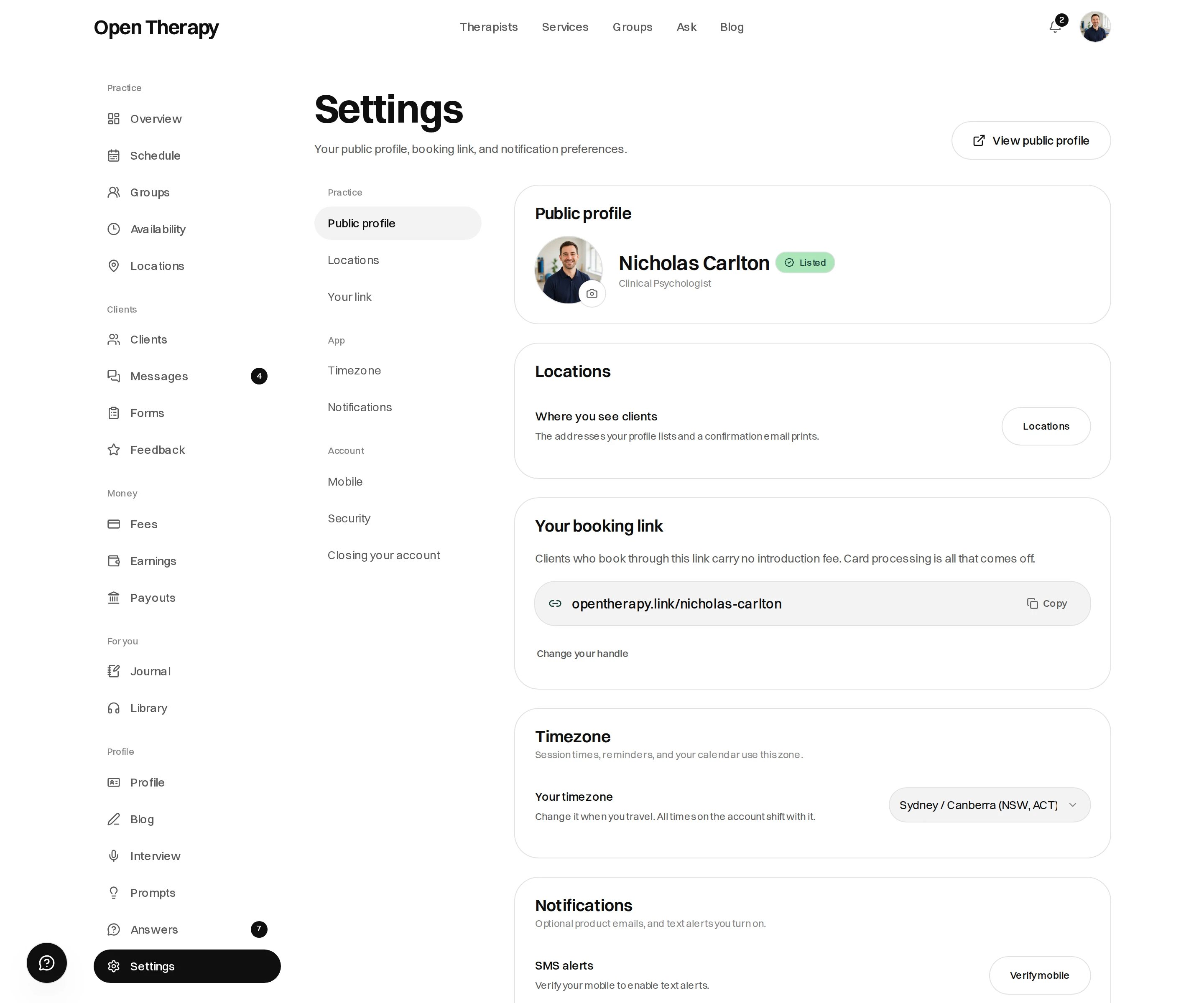
Everything about your listing lives under Settings, grouped into practice and account
Writing on Open Therapy
Posts appear on your profile under Blog, and at their own address. See Writing.Next
Services and pricing
Define what you offer and what it costs.
Your booking link
Claim your address and skip the introduction fee.